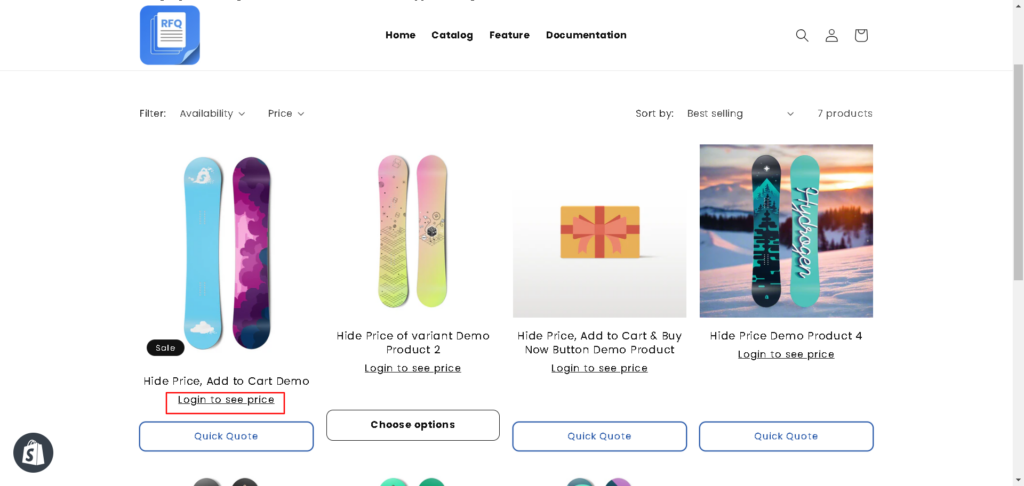
For stores that prefer to show prices exclusively to registered users—whether for B2B, wholesale, or VIP groups—Quotes Guru makes it easy to enforce these restrictions. The ‘Required Login to Show Price’ setting allows you to hide pricing for all or selected products, encouraging new sign-ups while protecting sensitive wholesale data. This guide walks you through activating this feature and testing the guest-user experience on your storefront.
How to Enable Required Login for Prices #
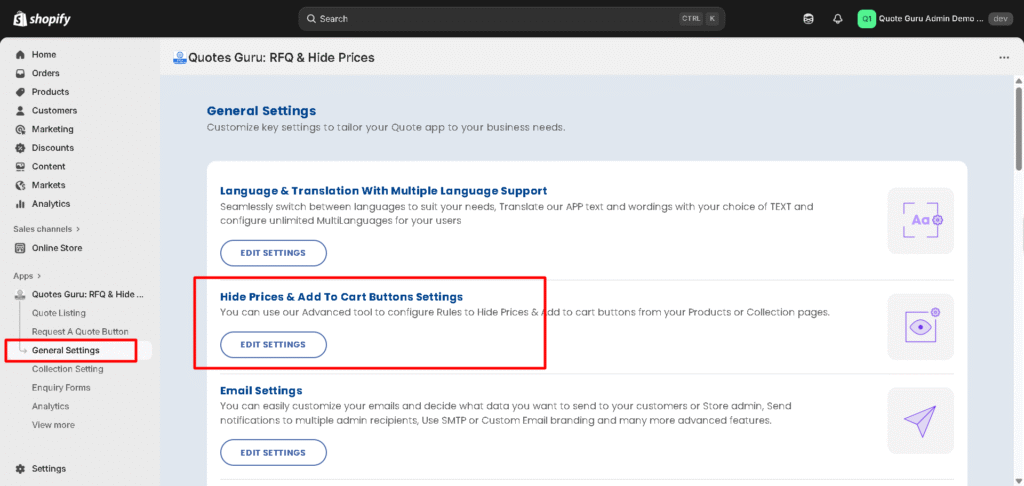
Step 1: Go to General Settings
Step 2: Click on Hide Prices & Add to Cart Buttons Settings
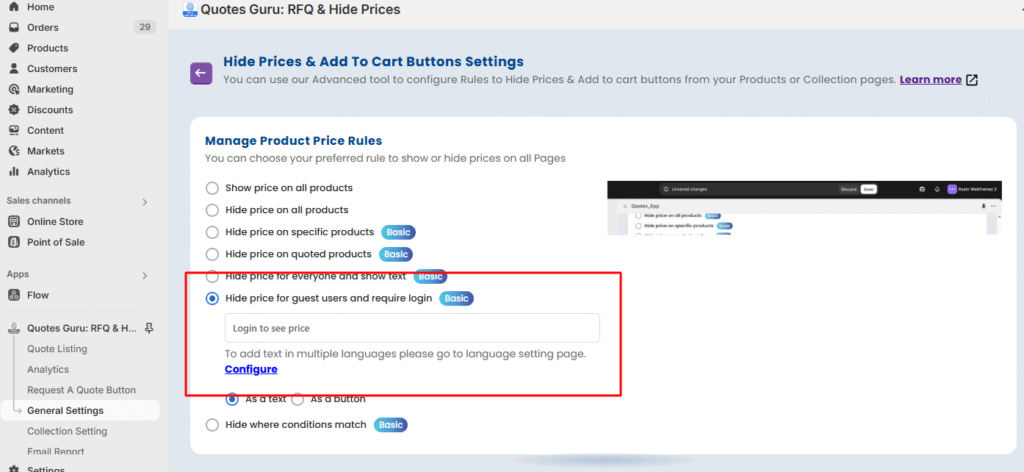
Click on save and check how it works on your online store. View demo: Enter password: 1