
The Quote Assignee feature helps you manage your quotes more efficiently by assigning them to specific team members.
Instead of handling all quotes yourself, you can distribute them across your team so each member can take ownership, respond faster, and close deals more effectively.
This feature is available on:
- Pro Plan – Up to 2 staff members
- Premium Plan – Unlimited staff members
What is the Purpose of Quote Assignee? #
Quote Assignee allows you to:
- Assign quotes to specific team members
- Automatically notify staff when a quote is assigned
- Pre-assign customers to staff for future quotes
- Improve response time and sales coordination
Think of it as a simple quote management system for your team.
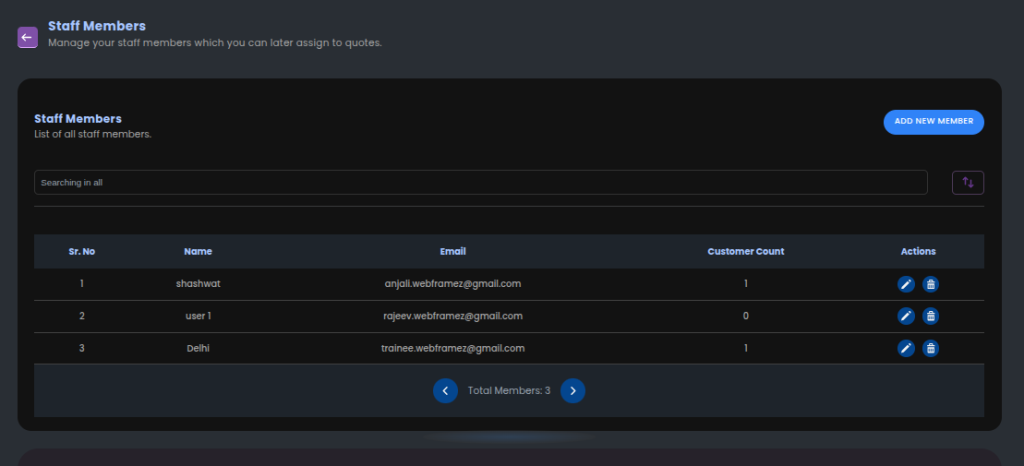
Step 1: Create Staff Members #
Before assigning quotes, you need to add your team members.
How to add staff members: #
- Go to Quote Guru Admin
- Open Staff Members
- Click Add New Member
- Enter Name and Email
- Save
These members will now be available for assignment.
Step 2: Enable Email Notifications (Important) #
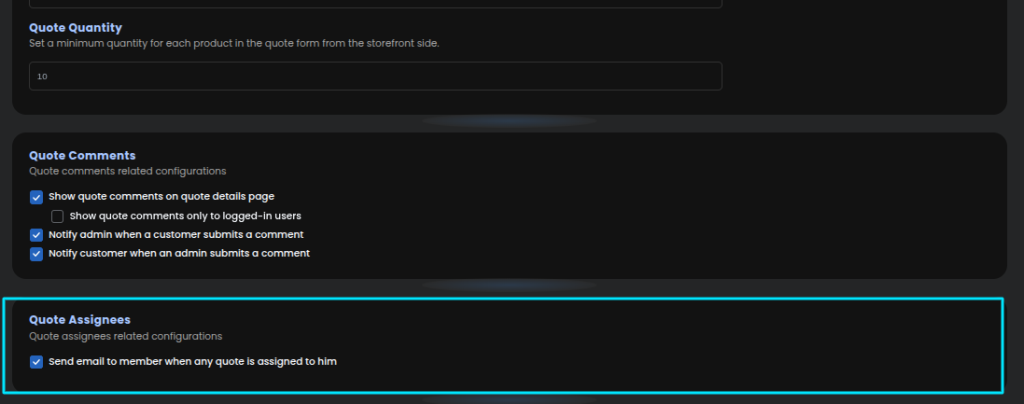
If you are not receiving emails, this step is usually the reason.
Enable notifications: #
- Go to General Settings → Miscellaneous Settings
- Enable:
✔ Send email to member when any quote is assigned
Once enabled, staff members will receive emails when:
- A new quote is created (storefront or admin)
- A quote is assigned to them
Step 3: Assign a Staff Member to a Quote #
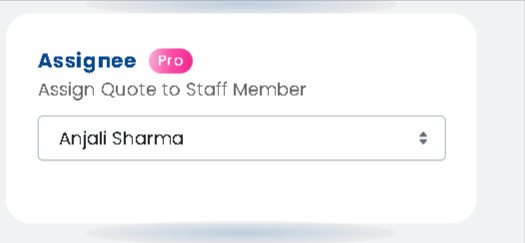
You can manually assign a team member to any quote.
How to assign: #
- Go to Quote Listing
- Click Edit Quote
- Scroll to Assignee section
- Select a staff member from the dropdown
- Click OK (to confirm future assignment if needed)
- Click Save
Now the selected member will be responsible for that quote.
What Does “Assign Customer for Future Quotes” Mean? #
When assigning a quote, you’ll see an option like:
“Do you want to assign this customer to the selected staff member for future references?”
What this does: #
If enabled:
- That customer is linked to the staff member
- Any future quote from the same customer will be:
- Automatically assigned
- Automatically notified to that staff member
Why this is useful: #
- Builds long-term customer ownership
- Ensures consistent communication
- Helps your team close deals faster
How Customer Email Assignment Works #
When you assign a quote and confirm future assignment:
- The system stores the customer email
- Next time the same customer submits a quote:
- The same staff member is auto-assigned
- They receive a notification email
This removes the need to manually assign repeat customers.
We can also do this customization for you on our end if you do not have any coding background just reach us out at support@webframez.com


