
Placing the Quote List icon within your store’s navigation menu provides a clean and intuitive way for customers to access their quote list from anywhere on your site. This option integrates the quote request feature seamlessly into your existing menu structure, enhancing usability without taking up additional screen space. Available with a paid plan and when the Quote List button is enabled, this setup also allows you to customize the display text to match your store’s language or branding. In this guide, you’ll learn how to configure the Quote List icon as a menu item for a streamlined quoting experience.
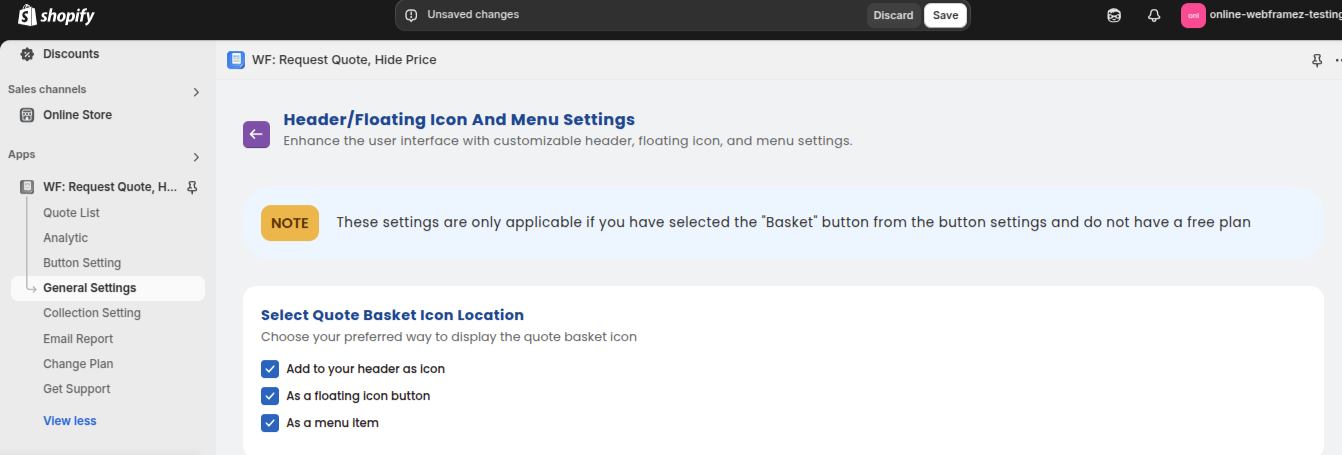
Go to General Settings>Header/Floating icon and Menu settings
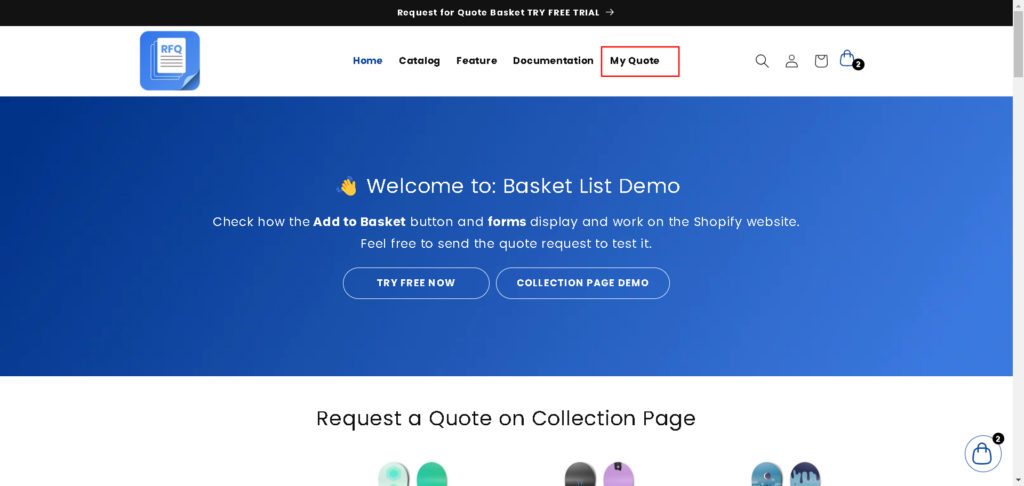
As a menu item: The icon will be located within the navigation menu, offering an option to access the quote list from the menu.
Important: These customization options are available only if you have enabled the “Quote List” button in the button settings and are using a paid plan.
You can view its placement in the store front as shown in the image below :
You can modify the text according to your language preference. Read more


