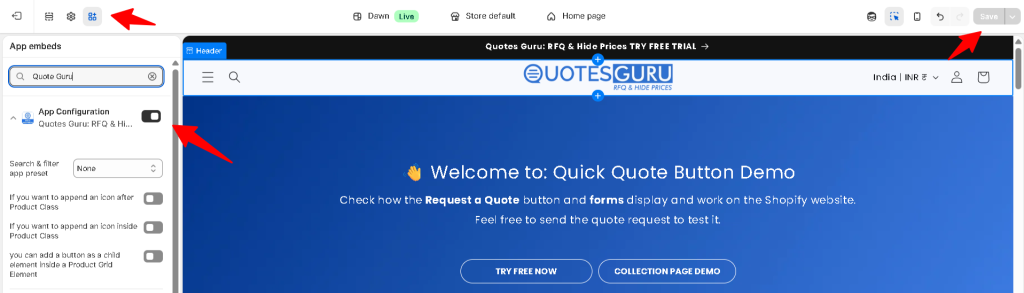
Before publishing to your live store, it is best practice to verify settings on a duplicate or testing theme. This ensures your customer experience remains seamless while you configure the app. Follow these simple steps to enable the app in a sandbox environment first.
How to Enable the App on Your Test Theme(Duplicate Theme): #
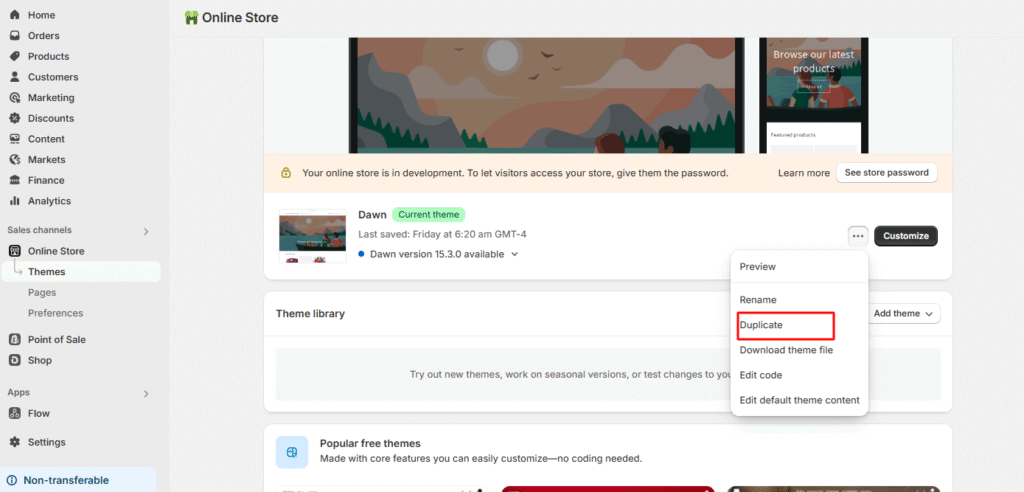
- To create a duplicate theme
- Go to Online Store
- Click on the three dots of your current theme
- Click on Duplicate.
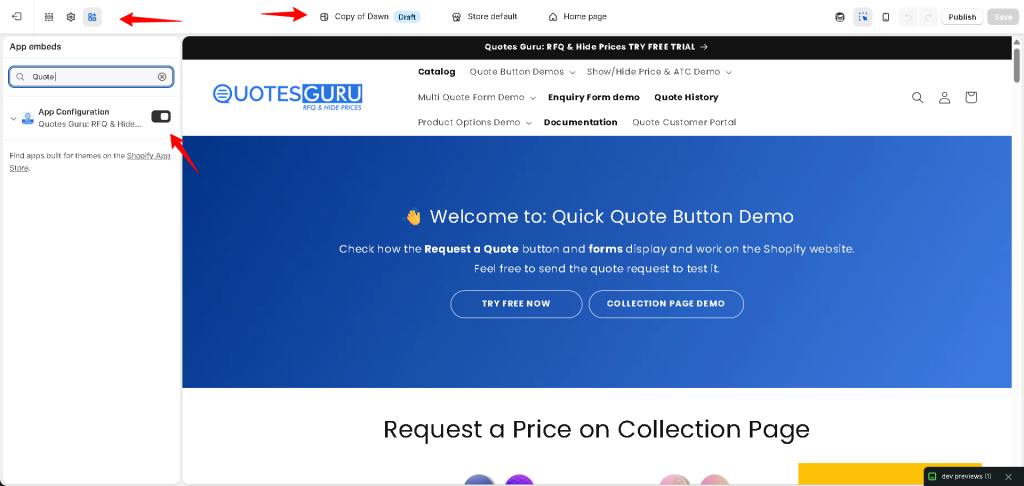
- Click Customize on your Duplicate Theme.
- Go to App Embeds (the third icon on the left sidebar).
- Find our app and toggle the switch to On. If it is not in the “On” condition.
- Click Save
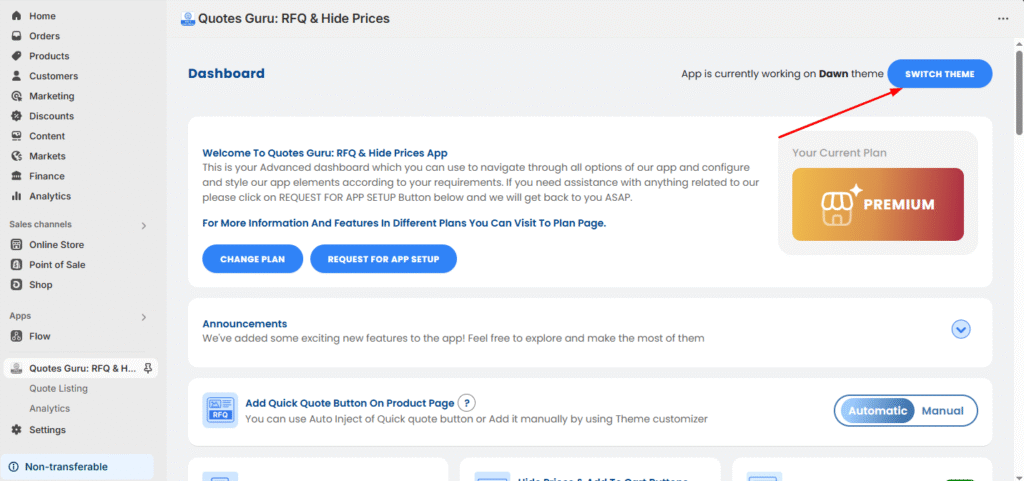
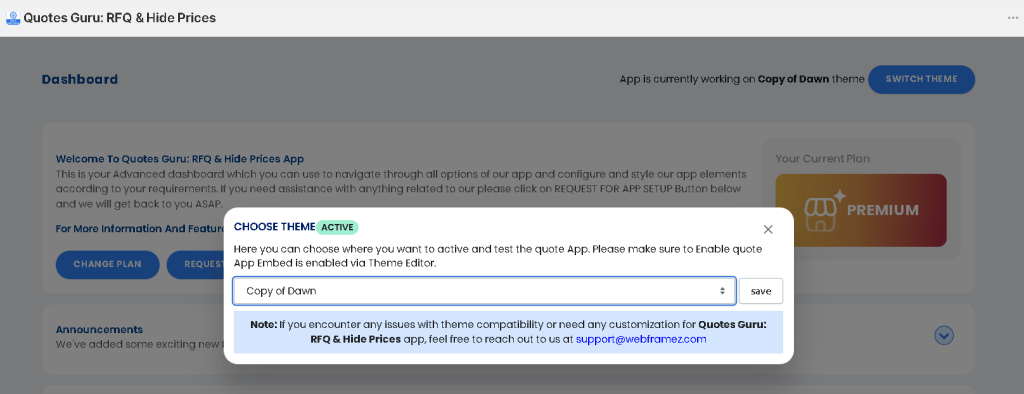
- Now, go to the app dashboard
- and click the Switch Theme button, and
- Choose the duplicate theme that you want to test the app, as shown below in the screenshot :
How to Disable the App (or Specific Features) on Your Live Theme: #
- Navigate to Online Store > Themes.
- Click Customize on your Live Theme.
- Go to App Embeds (the third icon on the left sidebar).
- Find our app and toggle the switch to Off.
- Click Save.