
The “Both – Quick Quote + Add to Basket” feature offers the ultimate flexibility for your store’s workflow. This Premium Plan feature is designed for merchants who need specific products to have a Quick Quote button (for instant, single-item inquiries) while allowing a Quote Basket (for multi-item requests) for the rest of their catalog. This hybrid approach ensures a tailored and convenient quoting experience for every customer.
When to Use the Hybrid Quote Workflow #
This feature is ideal if your store handles a mix of standard and highly customized goods:
- Quick Quote: Perfect for products linked to custom forms that require specific information from the customer.
- Quote Basket: Best for wholesale or bulk orders where customers want to add several items to a list before submitting.
- Global Access: Includes support for a header icon, badge, or floating button so customers can always find their saved quotes.
How to Enable Hybrid or Both Button Types in Your Dashboard #
Step 1: Go to your Shopify Admin and open the Quotes Guru app.
Step 2: From the sidebar, click on the Request a Quote Button.
Step 3: You’ll now see a new option – Both (Quick Quote + Add to Basket).
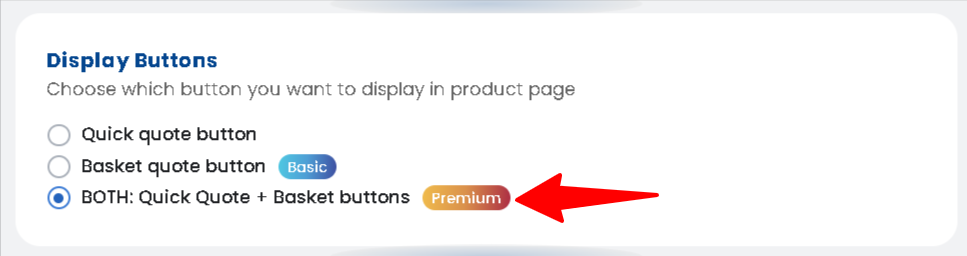
Step 4: Enable this option to activate the dual button functionality.
Step 5: Go to Dashboard and find Customize quote forms
Step 6: Click Manage Form and create one or more Custom Forms from the app dashboard.
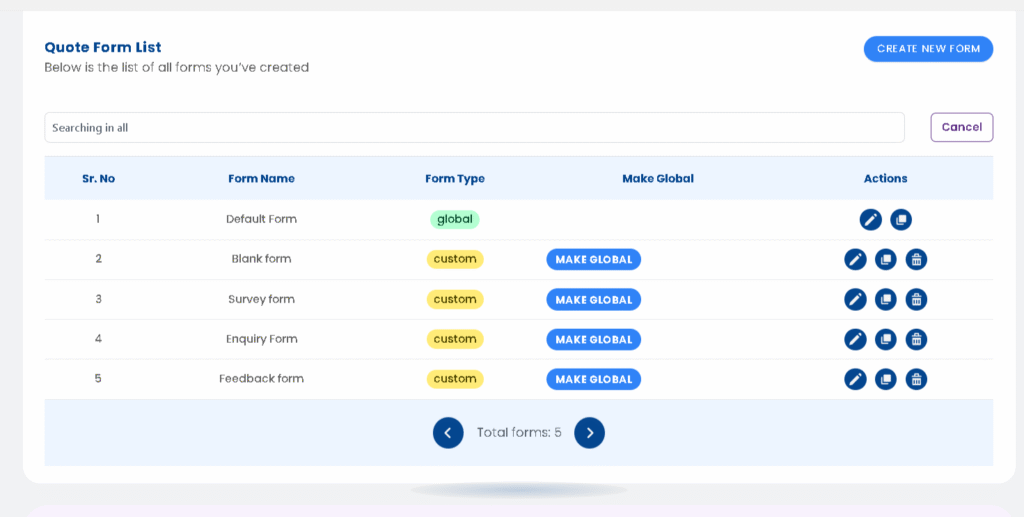
Step 7: Assign each form to the specific products where you want to show the Quick Quote button.
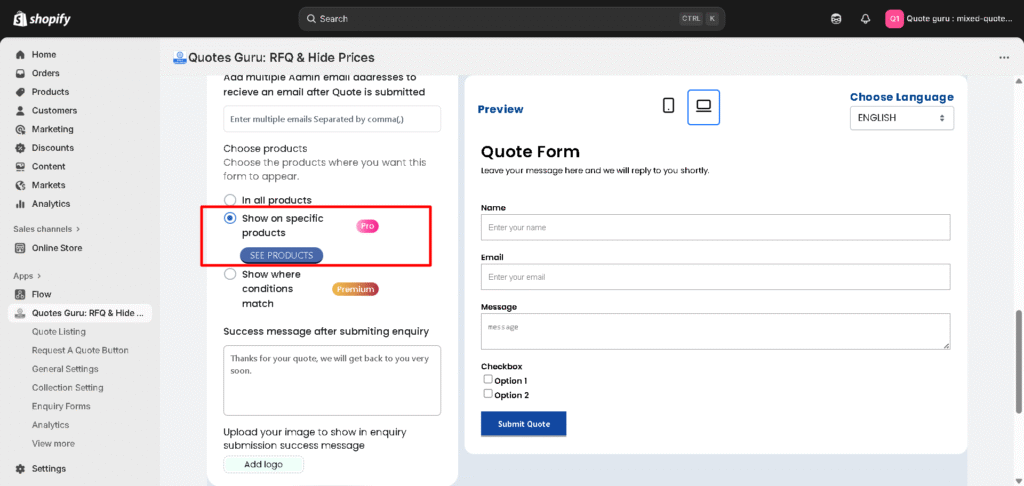
Step 8: All other products that are not linked to a custom form will automatically display the Add to Basket button with the global quote form.
Note: If you don’t assign any product to a custom form, the Basket Quote button will be used for all products by default.
Example #
Let’s say you sell both customizable furniture and ready-made items:
- For custom furniture, you can assign a custom form and display the Quick Quote button — allowing customers to instantly request a quote with specific requirements.
- For ready-made items, the Add to Basket button will appear, letting customers add multiple products to their quote basket before submitting.
This feature helps maintain a smooth user experience for all product types while giving you full control over how quotes are requested across your store.
Check Demo in action : Click Here


