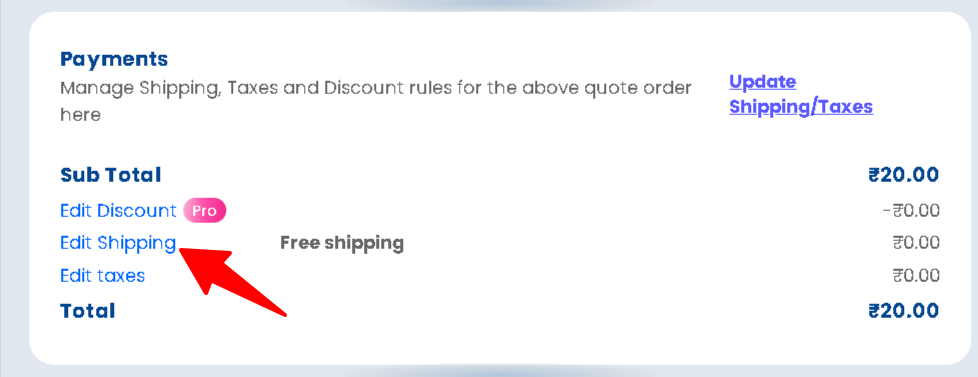
Quotes Guru gives you flexible shipping options when creating quotes, allowing you to apply no shipping, custom shipping charges, or Shopify’s automatic shipping rates. This helps you control costs, match real shipping scenarios, and avoid surprises for your customers.
This flexibility helps you create accurate quotes, avoid manual adjustments, and give customers clear pricing from the start.
Why This Matters #
Shipping costs often decide whether a customer proceeds with a quote or drops off. If shipping is unclear, inconsistent, or incorrect, it can lead to confusion, follow-up emails, or lost conversions.
With Shipping Options in Quotes, you can:
- Match shipping charges to real fulfillment scenarios
- Avoid over- or under-charging customers
- Keep quotes simple for digital or service-based products
- Automatically align quotes with Shopify’s shipping logic
In short, you stay in control while customers get transparent pricing.
Available Shipping Options #
Quotes Guru currently supports three shipping options inside quotes:
- No Shipping – Select this if shipping charges don’t apply to the quote.
- Custom Shipping – Allows you to manually set a shipping rate for each individual quote.
- Shopify’s Shipping Rates – Automatically fetches and applies your store’s default Shopify shipping rates to the quote.
How to Access Shipping Options in Quotes #
- Go to Quote Listing
- Create a new quote or edit an existing one
- Scroll to the Payment section
- Select one of the available shipping options:
- No Shipping
- Custom Shipping
- Shopify’s Shipping Rates
- Save or send the quote
Your selected shipping option will be applied to the quote, emails, and PDFs.
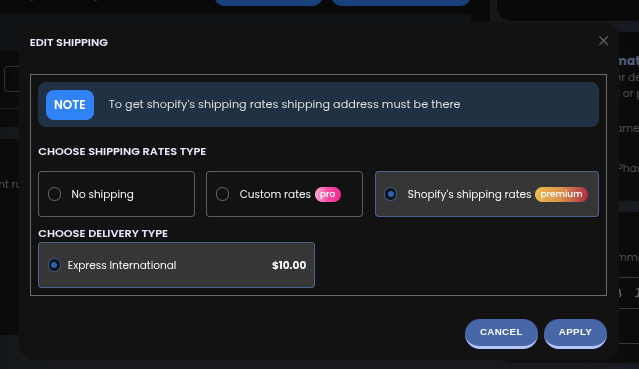
Shopify’s Shipping Rates – Automatically applies the same shipping rates used in your Shopify checkout to the quote. This ensures shipping costs are accurate, consistent, and based on your store’s existing shipping rules and customer location.
This feature is available in the Premium Plan.
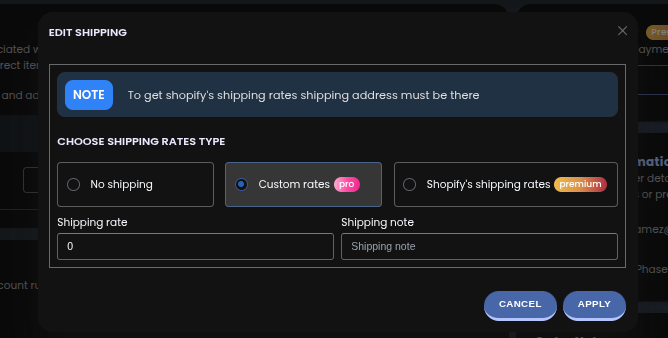
Custom Shipping – Lets you manually add or adjust a shipping charge for a specific quote. This is useful when you want to offer special shipping pricing, handle custom delivery requirements, or override the default Shopify shipping rates for a particular customer.
Default Shipping Configuration #
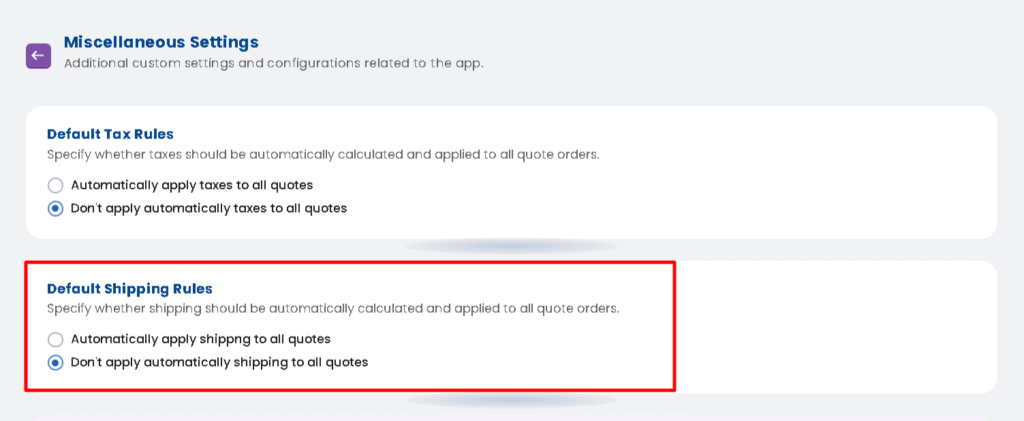
You can manage your Shipping behaviour globally from General Settings → Miscellaneous Settings → Default Shipping Rules.
Here you can:
- Automatically apply shippng to all quotes
- Don’t apply automatically shipping to all quotes
When enabled, shipping will auto-calculate every time you open the Edit Quote page.