The Quote Comments feature allows merchants and customers to communicate directly within a quote. This helps keep all discussions, clarifications, and updates centralized, reducing back-and-forth emails and improving quote conversion efficiency.
Note: This is a Pro feature.
Step 1: From the Quote Listing page, click Create Quote or Edit Quote #
How Quote Comments Work #
Quote comments can be added by the admin (merchant) from the Shopify admin and by the customer from the quote details page on the storefront.
Each comment is timestamped and clearly labelled with the author (admin or customer), ensuring full transparency in communication.
Admin Side: Adding and Managing Comments #
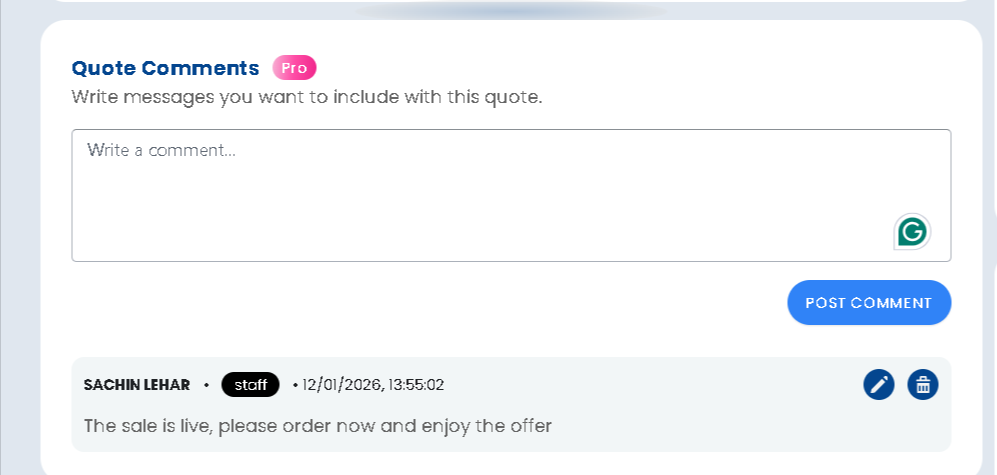
From the Edit Quote page in the admin panel:
- Use the Quote Comments text box to write a message related to the quote
- Click Post Comment to publish it
- Admin comments can be edited or deleted if required
- Comments appear instantly on the customer’s quote details page (based on visibility settings)
This is useful for:
- Sharing special offers or updates
- Requesting additional information
- Providing next steps or payment instructions
Customer Side: Commenting on a Quote #
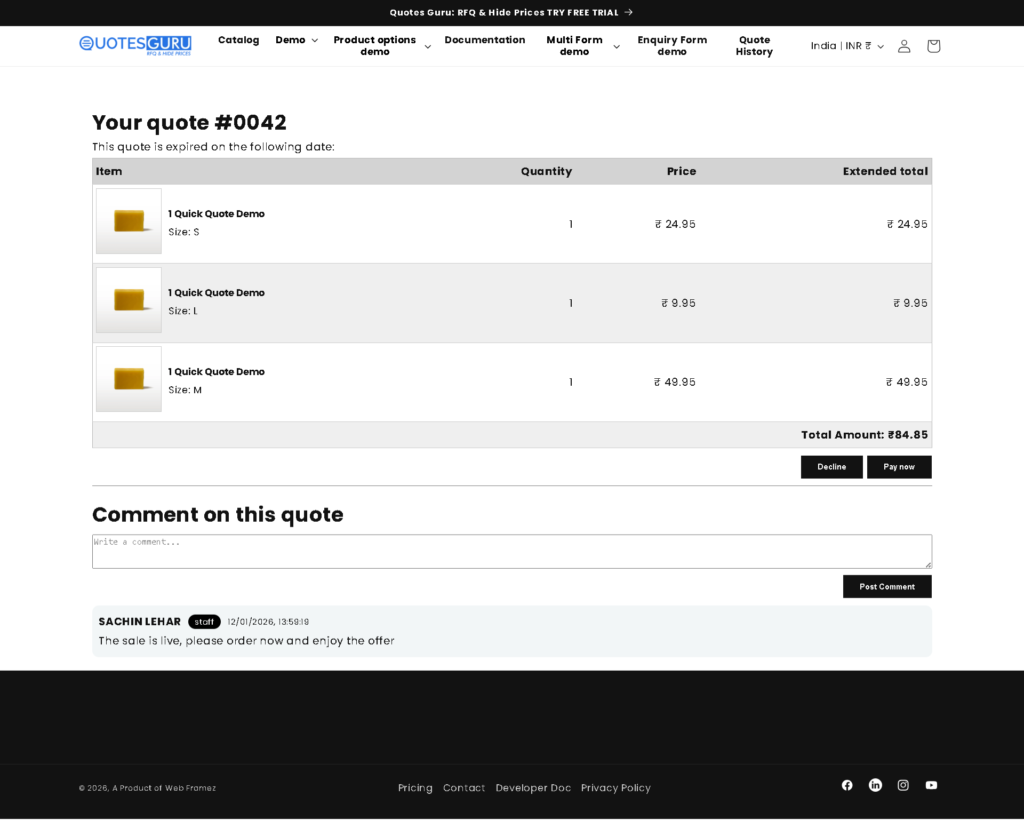
On the Quote Details page, customers can:
- View all comments added by the merchant
- Add their own comments or questions
- Continue the conversation without leaving the quote page
This creates a smooth, two-way communication channel directly tied to the quote.
Quote Comment Configuration Options #
To manage quote comment visibility and notifications, follow these steps:
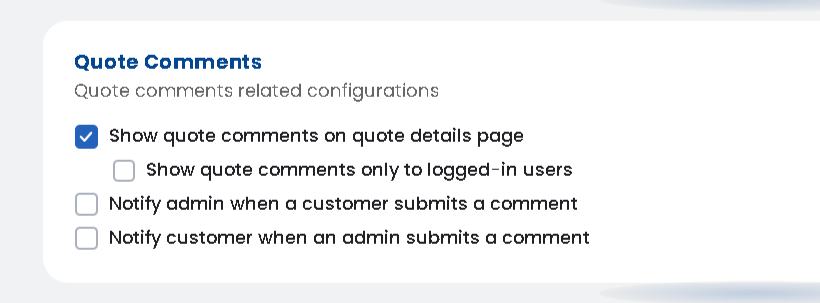
Go to General Settings → Miscellaneous Settings → Quote Comments
- Show quote comments on quote details page
Displays comments to customers on the storefront - Show quote comments only to logged-in users
Restricts comment visibility to authenticated customers - Notify admin when a customer submits a comment
Helps merchants respond faster to customer queries - Notify customer when an admin submits a comment
Keeps customers informed about updates or replies
These options allow you to balance visibility, security, and responsiveness.