
The Bargain – Make an Offer feature allows customers to suggest their own price when submitting a quote request. This enables real-time price negotiation directly from the storefront, helping merchants capture high-intent leads, handle bulk or custom pricing requests, and close deals more efficiently.
This feature is available under the Premium Plan and is fully controlled by the merchant.
Why This Feature Matters #
Price flexibility plays a critical role in B2B sales, bulk orders, and high-value products. With Make an Offer, merchants can:
- Encourage customers to initiate conversations around pricing
- Capture quote requests instead of losing price-sensitive buyers
- Set pricing boundaries to protect margins
- Streamline negotiation without manual back-and-forth
This results in higher engagement, better-qualified leads, and improved conversion rates.
How It Works #
Once enabled, customers can enter a custom price for products while submitting a quote.
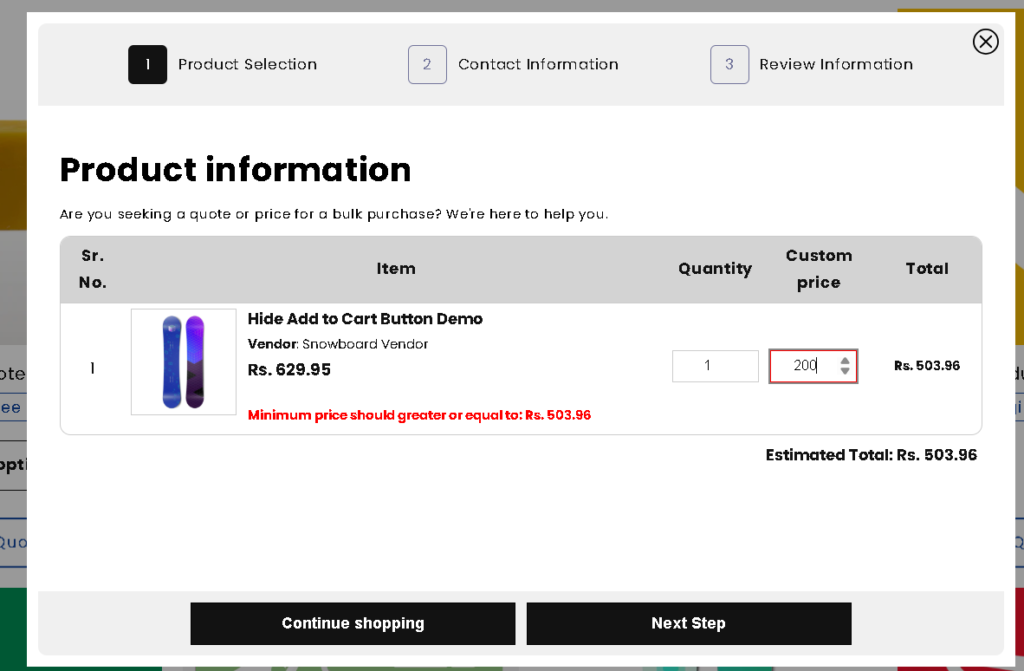
If the entered price is below the minimum allowed limit, the system automatically displays an error message and prevents submission.
Steps to Enable Make an Offer #
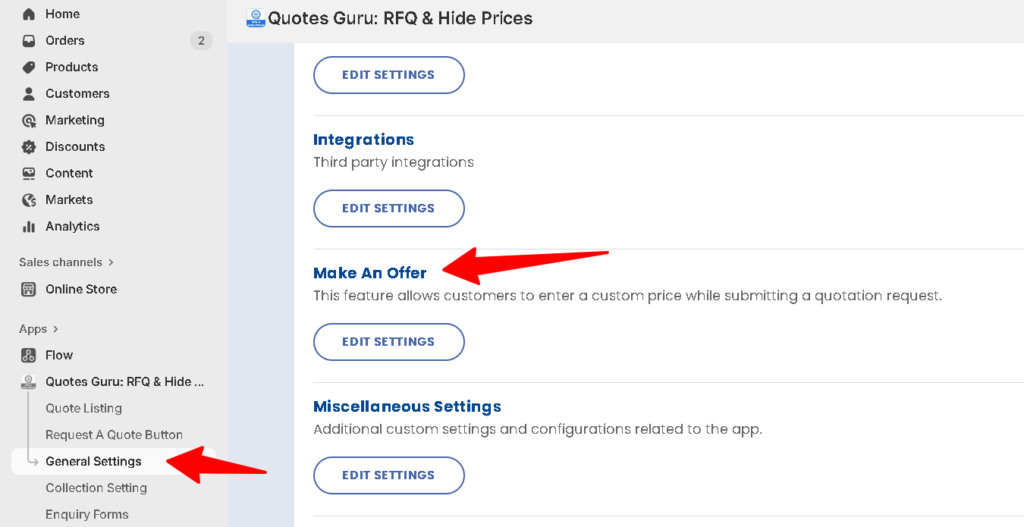
- Go to Admin Dashboard
- Navigate to General Settings > Make an Offer
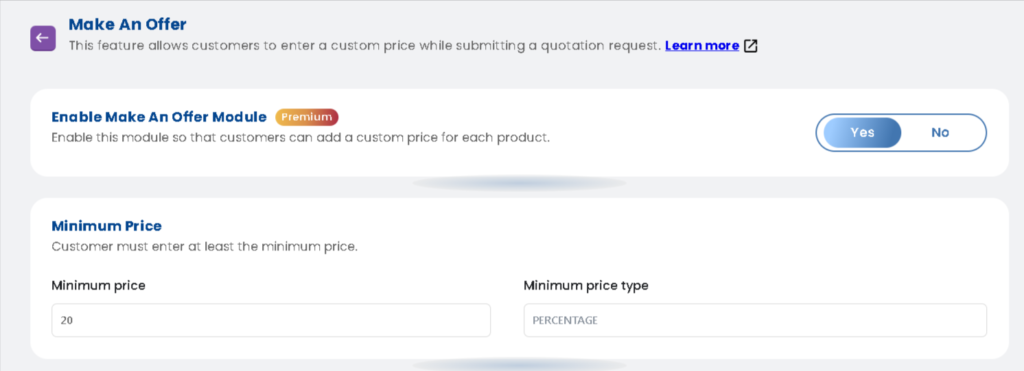
- Enable the Make an Offer Module (Premium)
- Set the Minimum Price
- Choose Percentage as the minimum price type
- Define how much lower than the original price customers are allowed to offer
- Save the settings
Once saved, the feature will be active on the storefront for quote requests.
Storefront Experience (Customer Side) #
- Customers see a Custom Price field for each product in the quote form
- They can enter their desired price while submitting the quote
- If the entered price is below the configured minimum limit, an error message appears
- Valid offers are successfully submitted and recorded in the Quote List for review
Example Use Case #
A product is priced at ₹200.
The merchant sets a minimum price of 10%.
- Minimum allowed offer: ₹180
- Customer enters ₹170 → Error message is shown
- Customer enters ₹180 or higher → Quote request is accepted
The merchant can then review the quote, negotiate further if needed, or convert it into an order.


