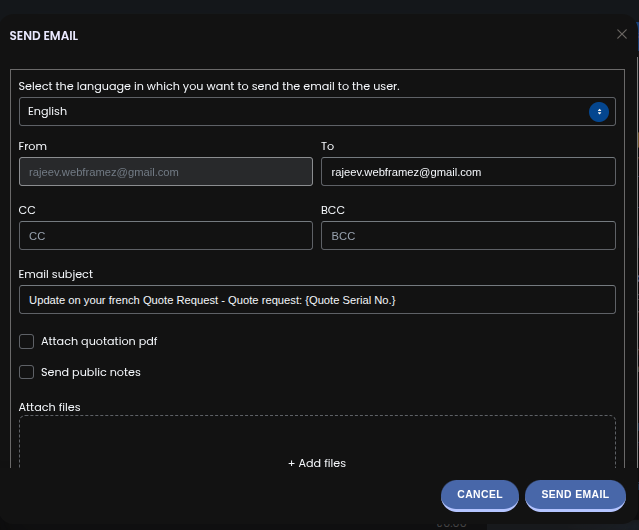
The Resend Quote Email feature allows you to quickly resend a quote to your customer with full control over email content, attachments, and delivery settings. This is especially useful when a client requests updates, misses the original email, or needs the quote in a different format or language.
Step 1: Go to Quote Listing → Edit Quote #
Step 2: Click on Email Quote #
Once clicked, a popup will appear where you can customise the email before sending. You can manage the following options:
- Change client email
Update the recipient’s email address if needed. - Attach quotation PDF
Choose whether to include the quote as a PDF attachment. - Send public notes
Include any public notes added to the quote so the customer can view them. - Attach extra files
Add additional documents such as terms, specifications, or supporting files. - Change email subject
Edit the subject line to better match the context or conversation. - Manage CC and BCC
Add internal team members or additional recipients as CC or BCC. - Select email language
Choose the language in which the email should be sent, supporting multi-language communication with customers. - After reviewing your settings, click Send Email.
The quote will be resent with your selected configuration, ensuring the customer receives accurate and relevant information.