
If you’re looking to save time and automate your workflow, the Zapier integration in Quote Guru is built exactly for that.
By connecting Quote Guru with Zapier, you can automatically send your quote data to other tools you already use—like Google Sheets, CRMs, email platforms, or internal systems—without doing anything manually.
This feature is available on the Premium Plan, and it helps you stay organized, respond faster, and reduce repetitive work.
Once connected, you can automatically trigger actions when:
- A customer submits a quote
- An admin creates a quote
- A quote is converted into a draft order
Think of it as setting up a smart assistant that handles your quote data in the background while you focus on closing deals.
Getting Started with Zapier Integration in Quote Guru #
Step 1: Create a Zap in Zapier #
- Log in to your Zapier account
- Click on “Create Zap”
- For the trigger, choose Webhooks by Zapier
👉 If you’re new to this, you can follow Zapier’s official guide: Zapier webhook guide
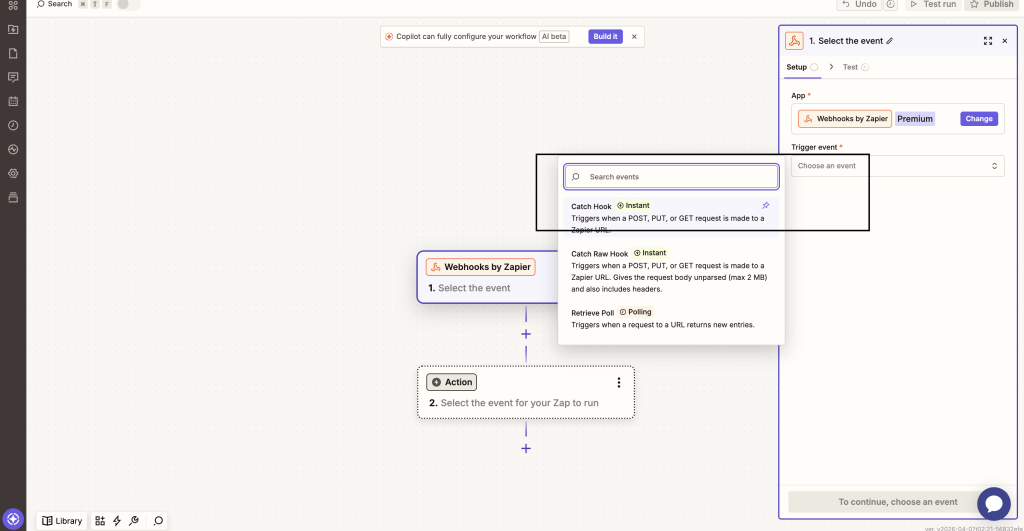
Step 2: Choose “Catch Hook” #
- Select Catch Hook as the trigger event
- Zapier will generate a unique Webhook URL for you
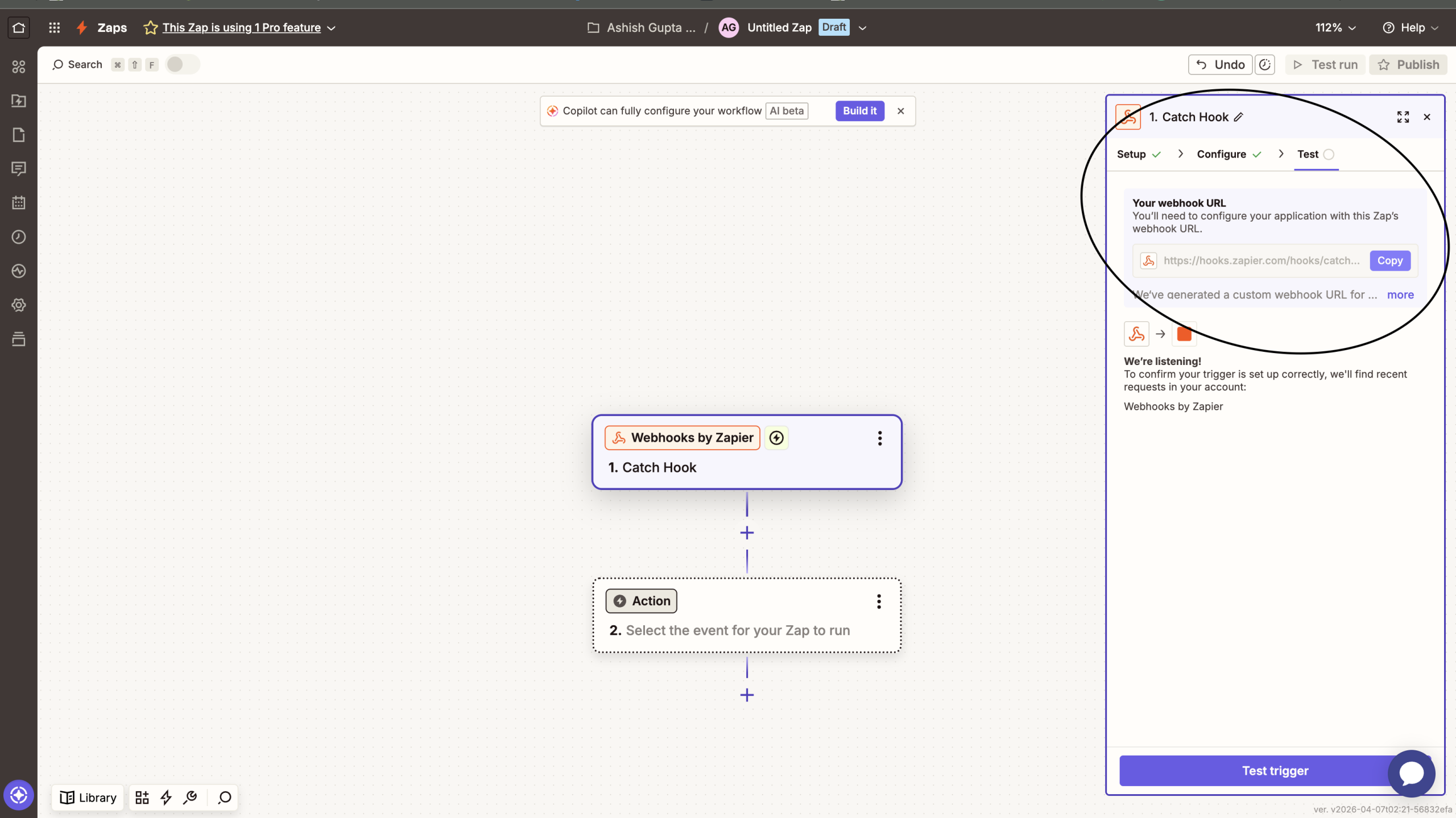
Step 3: Copy the Webhook URL #
- Copy the webhook URL shown in Zapier
- You’ll need to paste this into Quote Guru
Step 4: Add Webhook URL in Quote Guru #
- Go to your Quote Guru Admin Panel
- Open Integration Settings → Zapier Section
- Paste the webhook URL into the field provided
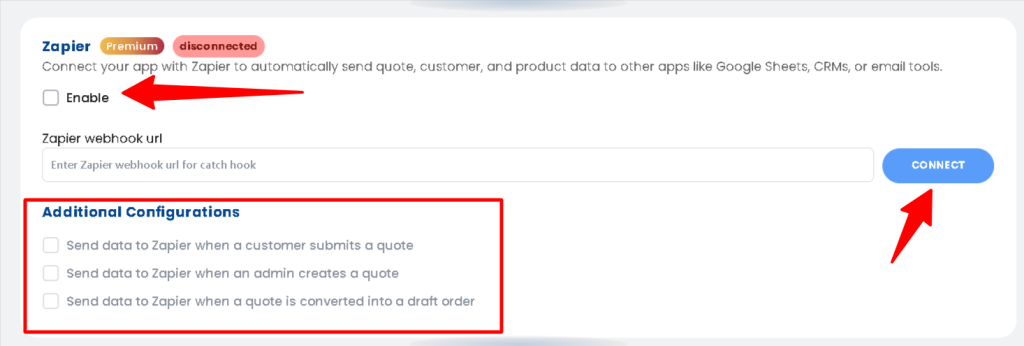
Step 5: Select When You Want to Send Data #
Choose the events that should trigger Zapier:
- When a customer submits a quote
- When an admin creates a quote
- When a quote is converted into a draft order
You can enable one or all, depending on your workflow.
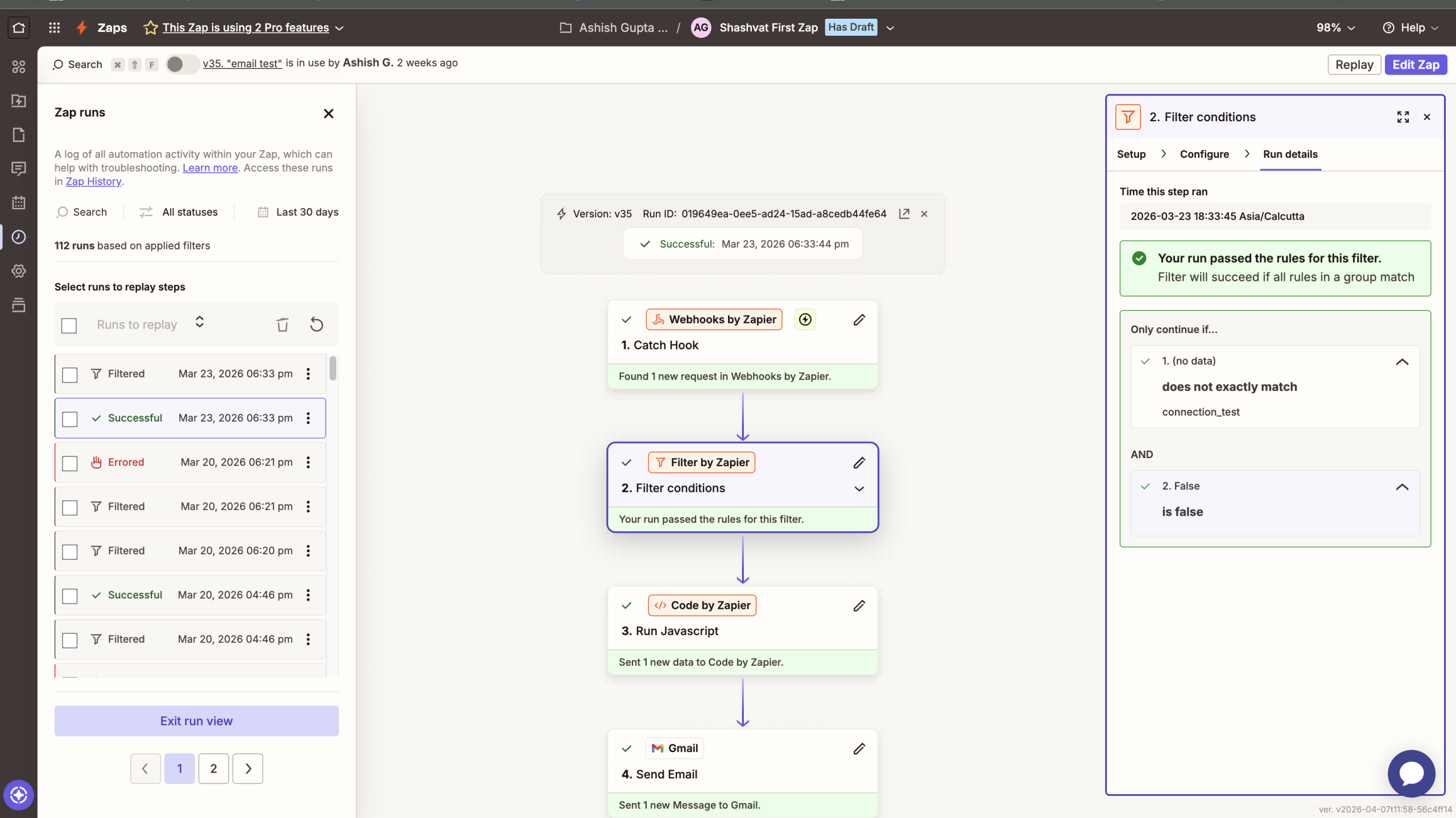
Step 6: Test the Connection #
- Submit a test quote from your store
- Go back to Zapier and check if the data is received
This step ensures everything is working correctly before going live.
Step 7: Turn On Your Zap #
- Add your desired action in Zapier (like saving data in Google Sheets or sending an email)
- Click Publish / Turn On Zap
That’s it—your automation is now live 🎉
We can also do this customization for you on our end if you do not have any coding background just reach us out at support@webframez.com


