
To use Gmail as your SMTP provider, Google requires two security steps: enabling 2-Step Verification and generating an App Password. Once created, this password replaces your regular Gmail password inside your SMTP settings.
Follow the guided steps below: #
- Sign in to your Gmail account.
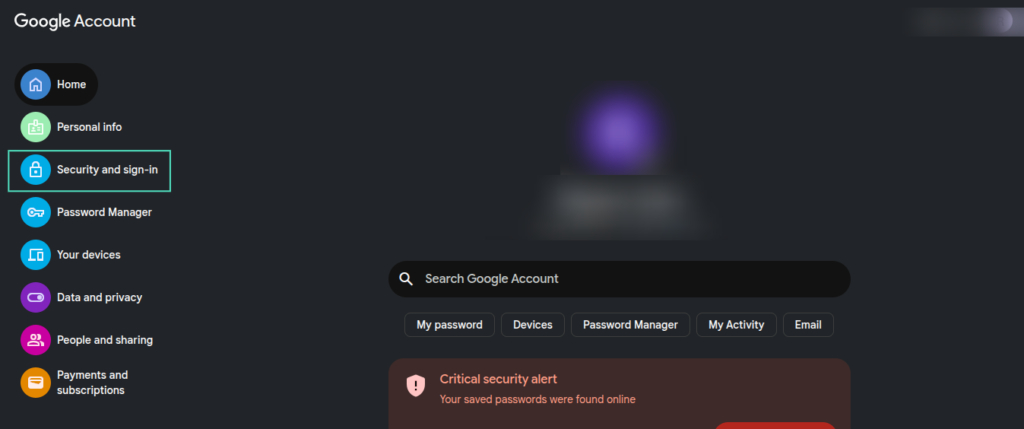
- Open Manage your Google Account, then navigate to Security & sign-in.
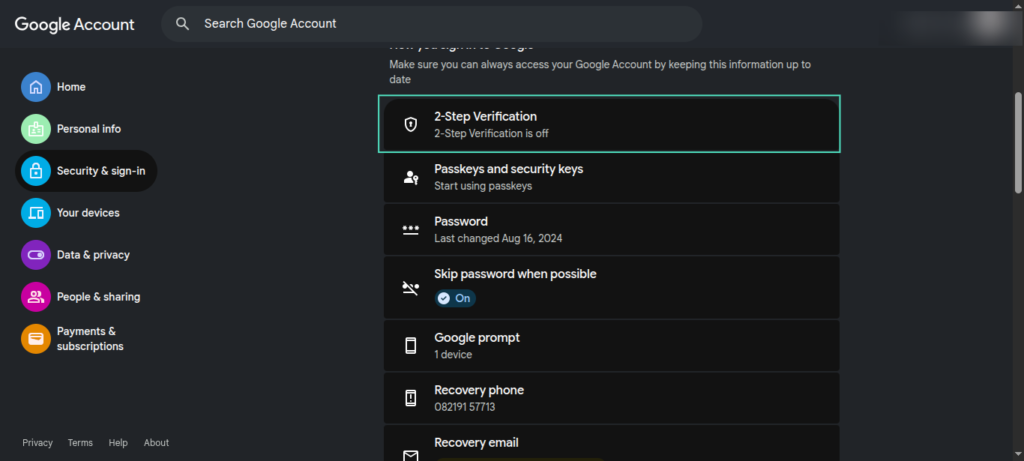
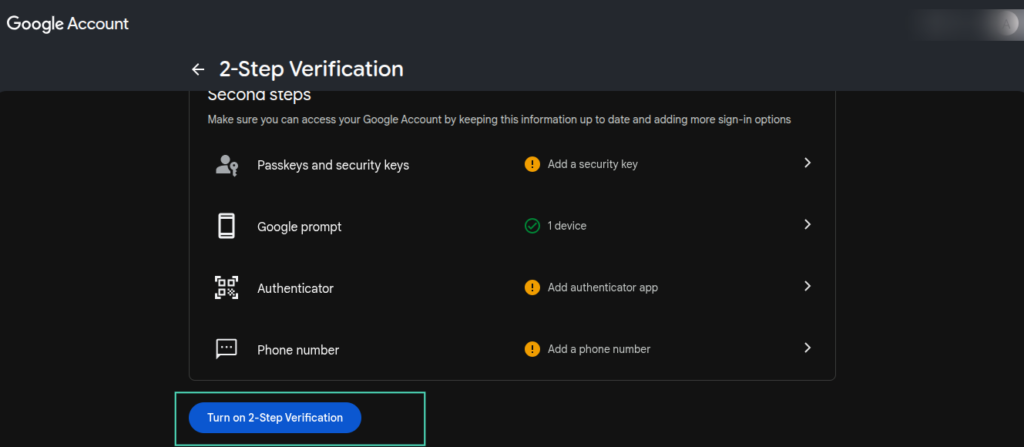
3. Select 2-Step Verification and complete the setup.
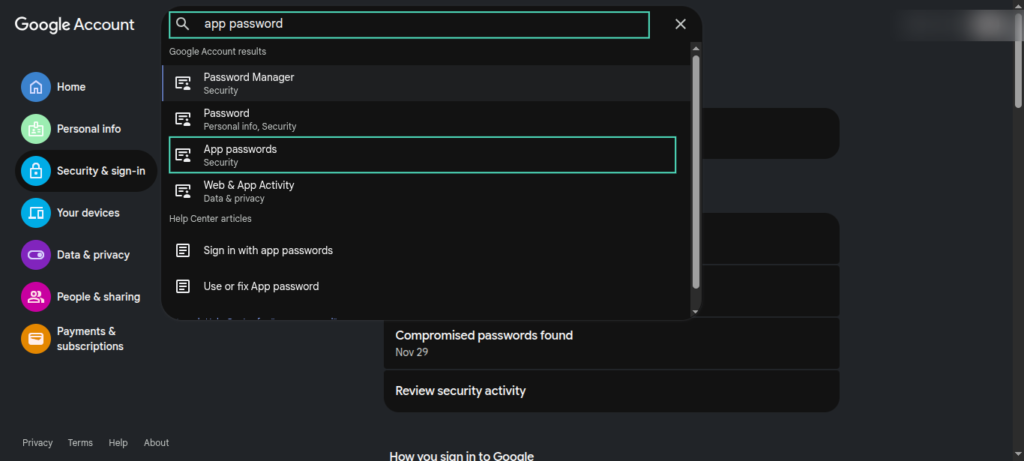
4. After enabling 2-Step Verification, return to the Security page and search for App passwords. Open it from the results.
5. Enter any app name (for example, “SMTP password”) and click Create.
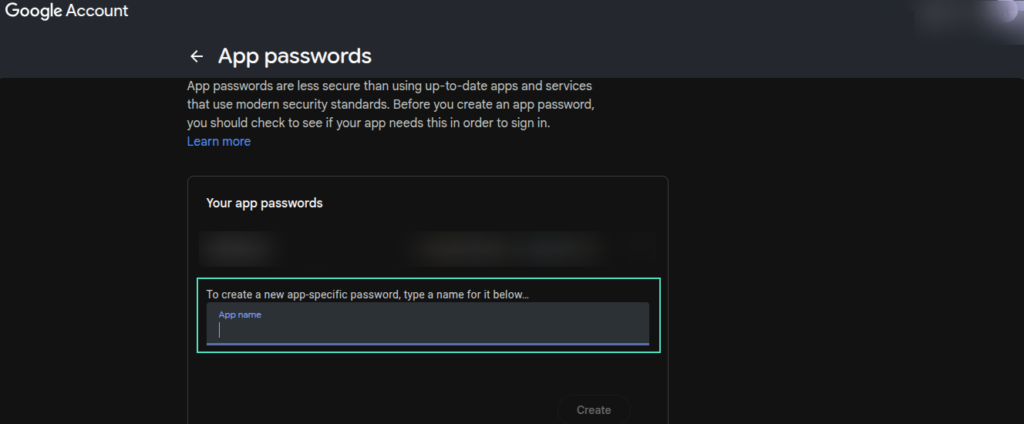
6. Google will generate a unique 16-character App Password. Copy this value—it will be your SMTP password.
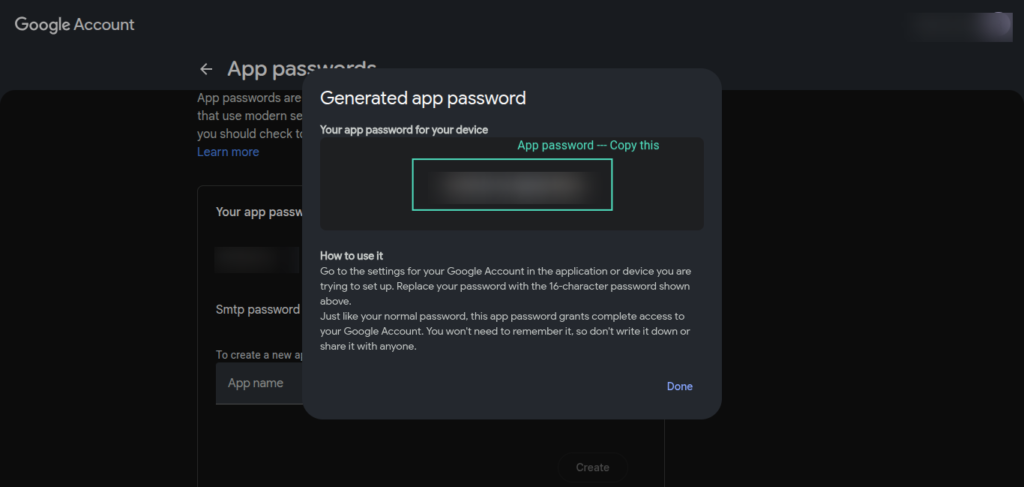
Use this App Password in your SMTP configuration instead of your normal Gmail password. This step ensures Google allows your store or application to send emails securely without blocking the connection.


